Calib - create
This tab creates a calibration from a known-weight bend test. Many rowers will never need this page if they use the default calibration, a coach-supplied calibration, or a calibration shared from another device.
When to use it
Use Calib - create when you want to create a new Scale Factor from a measured oar setup and a known weight. This is the most technical calibration workflow because it requires both geometry measurements and a controlled bend test.
Basic workflow
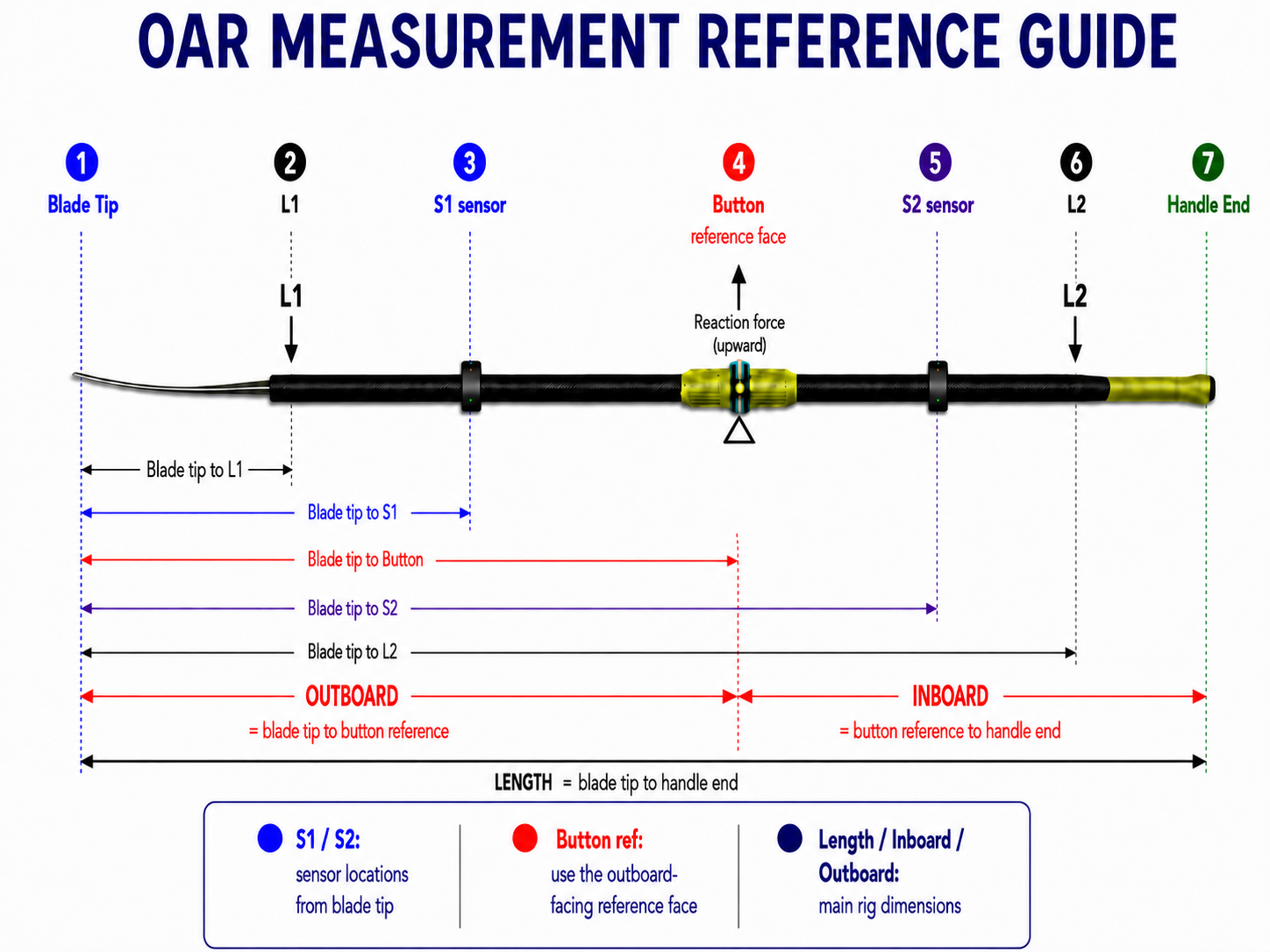
- Enter or scan the oar setup, including sensor positions, inboard, outboard, load point, support point, and shaft profile.
- Enter the known calibration weight and units.
- Connect the two sensors and position the oar in the calibration setup.
- Use Tare to zero the unloaded bend reading.
- Apply the known weight and let the live values settle.
- Review bend, calibration moment, Cperm, Keff, and SF.
- Press Save to store the completed calibration.
Saving the result
After saving, the result becomes a saved calibration that can be selected, edited, exported, printed as a label, or scanned back into another device. The saved calibration can then supply the Scale Factor used for force, work, power, and pSplit magnitude.